Save up to 20% today!
Wearables & Emergency Alerts for Seniors
Stay safe and independent with simple wearables that can call for help fast—especially after a fall.
HOME SAFETY
Red Rhyder
2/27/20263 min read
Wearables & Emergency Alerts for Seniors
If you want to stay independent, feel safer at home, and keep doing the things you enjoy, a wearable emergency alert can be a smart, simple tool to have.
These devices are made to help you get help quickly if you fall, feel unwell, or need assistance—especially when you’re alone. The best part? Many are designed to be easy, with one button and clear instructions.
What Are Wearables & Emergency Alerts?
A “wearable” is something you can wear on your body—most commonly:
A wristband (like a watch)
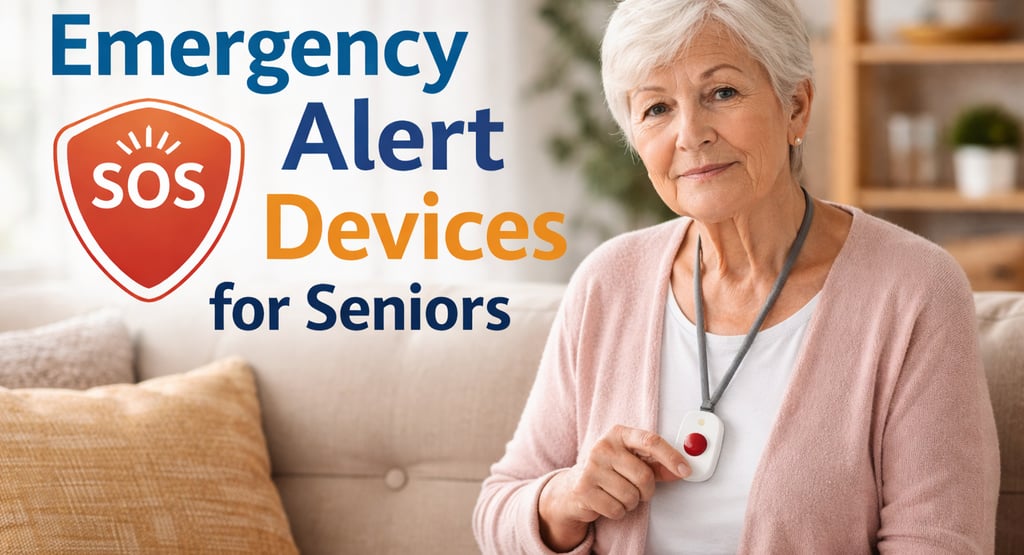
A pendant you wear around your neck
A clip-on device for your waistband or pocket
An emergency alert device usually includes an SOS button you can press to contact help. Some can even detect a fall automatically.
Why Seniors Like These Devices
Many seniors choose an emergency alert wearable for three simple reasons:
1) Faster help in an emergency
If you fall or suddenly feel dizzy, calling for help quickly matters. A wearable gives you a way to reach help even if your phone isn’t nearby.
2) More confidence at home
Knowing you can press a button for help can make everyday life feel less stressful—especially when using stairs, showering, or doing chores.
3) Peace of mind (for you)
This isn’t about fear—it’s about being prepared. Many people feel calmer just knowing it’s there.
The Most Common Types
1) Medical alert pendant or wrist button (very simple)
Best for: Seniors who want something easy and reliable.
What it does: Press one button to call for help.
Why it’s popular: No complicated menus or apps.
2) Smartwatch with emergency features (more features)
Best for: Seniors who enjoy technology and want extra tools.
What it does: SOS alerts, health tracking, reminders, sometimes fall detection.
Important note: Often needs daily charging and may work best with a smartphone.
3) GPS emergency alert device (good for outdoors)
Best for: Seniors who walk outside, travel, or run errands alone.
What it does: SOS help + location sharing.
The Features That Matter Most (Senior-Friendly Checklist)
When you’re choosing a device, focus on what will truly help you—not what sounds fancy.
The “must-have” features for many seniors
Easy SOS button (big enough to press easily)
Two-way voice (so you can talk to someone)
Comfortable to wear (you’ll wear it more)
Good battery life (and easy charging)
Water resistance (important for kitchens and bathrooms)
Extra helpful features (if you want more safety)
Automatic fall detection (calls for help if it detects a fall)
GPS location (helpful if you’re out of the house)
Caregiver notifications (alerts a family member)
How to Choose the Right One (Simple Questions)
Ask yourself:
Do I want something very simple?
If yes: choose a basic medical alert pendant or wrist button.Do I fall easily or worry about falling?
If yes: look for automatic fall detection.Do I always carry my phone?
If no: consider a device with built-in cellular, so it works on its own.Do I want professional monitoring or family alerts?
Professional monitoring: a call center responds 24/7
Family alerts: your chosen contact(s) get notified
There’s no “one best choice”—the best choice is the one that fits your life.
Easy Tips to Get the Most Benefit
A wearable only helps if it’s ready when you need it.
Wear it every day (especially in bathrooms and on stairs)
Charge it on a routine (same time each day or same place each night)
Test it regularly (many services let you run a test call)
Keep your emergency contacts updated
Don’t hide it in a drawer—wear it, even at home
Common Mistakes to Avoid
Buying something complicated that you don’t enjoy using
Forgetting to charge it
Wearing it only when “going out” (many falls happen at home)
Choosing a device that doesn’t work well where you live (signal matters)
A Good Way to Start
If you’re unsure, start with the simplest approach:
Want easy and reliable? Medical alert pendant/wrist button
Want extra safety from falls? Add fall detection
Want support outside the house? Consider GPS + cellular
You deserve technology that supports your independence—without adding stress.
Elderly Care Info
Reliable information and practical solutions for dignified senior care.
Contact
Newsletter
info@elderlycareinfo.com
© 2026. All rights reserved.